Showing posts with label AndroidPhotoDesignApp. Show all posts

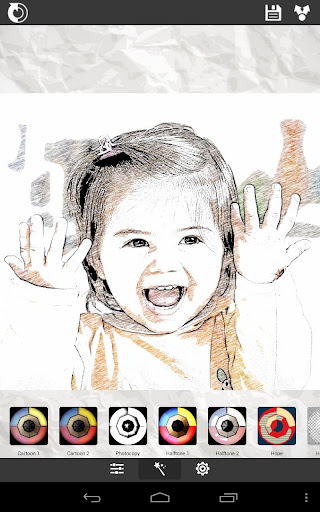
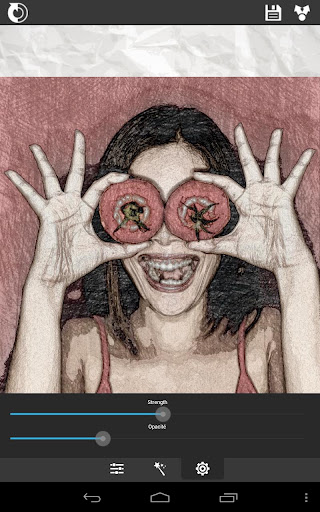
♪ ဓါတ္ပံုကိုခဲျခစ္ပန္းခ်ီ အျဖစ္ဖန္တီးေပးမယ့္ - XnSketch Pro v1.43 APK (8-Aug) ♫


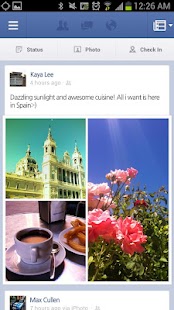
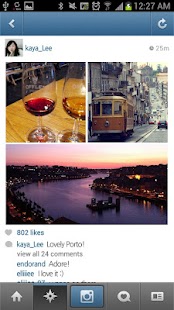
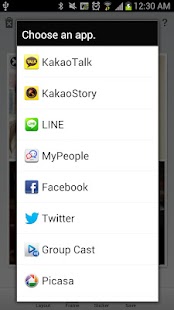
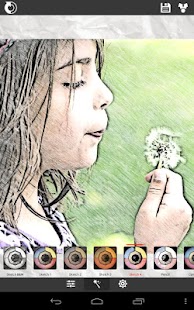
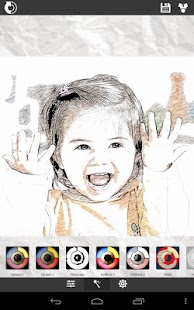
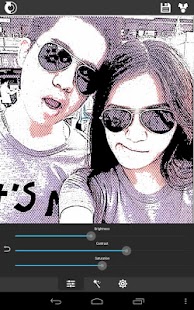
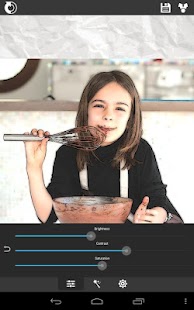
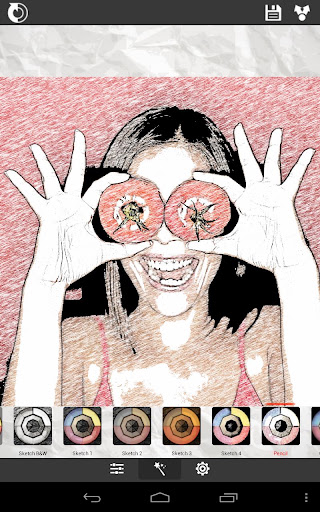
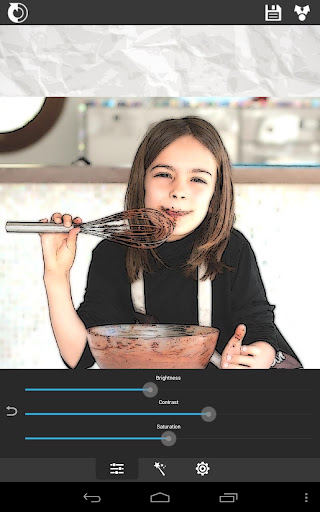
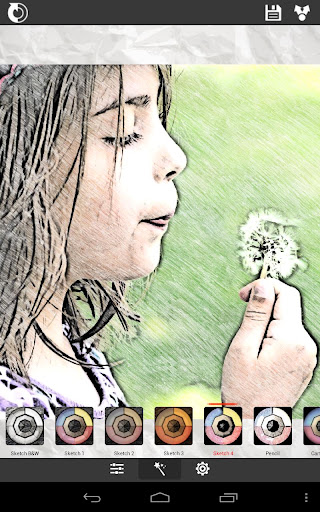
ဓါတ္ပံုေတြကို ခဲျခစ္ပန္းခ်ီ ေျပာင္းခ်င္သူမ်ားအတြက္  XnSketch Pro v1.43 APK ေနာက္ဆံုးထြက္ Version ကိုတင္ေပးလိုက္ပါတယ္ဗ်ာ။ ဒီေကာင္ေလးနဲ႕ ခဲျခစ္ပန္းခ်ီ ဖန္တီးမယ္ဆိုရင္ အျပင္မွာဆြဲတဲ႕ ခဲျခစ္ပန္းခ်ီ အတိုင္းကို ေတာ္ေတာ္ေလးကိုတူပါတယ္ဗ်ာ။ အျဖဴအမည္းနဲ႕ ခဲျခစ္ပန္းခ်ီ ဖန္တီးႏုိင္သလိုဘဲ ၊ မိမိႏွစ္သက္ တဲ့အေရာင္နဲ႕ ခဲျခစ္ပန္းခ်ီ ဖန္တီးႏိုင္ပါတယ္။ မိမိရဲ႕စိတ္ကူးနဲ႕ ဖန္တီးမႈအားေကာင္းမယ္ဆိုရင္ေတာ့ အေတာ္ေလးေကာင္းတဲ႕ပန္းခ်ီတစ္ခ်က္ ထြက္လာမွာပါ။ နမူနာအေနနဲ႕ေအာက္မွာ Screen Shoot ေတြကို ျပ ထားေပးပါတယ္ဗ်ာ။ Android OS 2.2 ႏွင့္အထက္ဖုန္းမ်ားမွာအသံုးျပဳႏိုင္မွာျဖစ္ပါတယ္ဗ်ာ။ ေအာက္ကပံုက ကၽြန္ေတာ္ကလိထားတဲ႕ ကၽြန္ေတာ့္ရဲ႕ Graffiti ေပါ့ဗ်ာ။  ဟားဟားဟားဟားဟား


**  Step-1.ေအာက္က Download Button ကိုႏွိပ္လိုက္ပါ
**  Step-2. "5sec". ေလာက္ေစာင္႕ေပးပါ။

**  Step-3. "  << SKIP AD >>   ".ကိုႏွိပ္ေပးပါ။
**  Step-4. Download Link က်လာပါလိမ္႕မယ္။
**  အဆင္ေျပပါေစဗ်ာ။

Photo Studio PRO v1.2 Latest Version for Android App(6,April,2014 Updated)

Photo ​ေတြကို အ​ေကာင္​းဆံုး စိတ္​ႀကိဳက္​ ျပဳျပင္​ဖန္​တီး​ေပးႏိုင္​တဲ့"Photo Studii PRO v1.2 ဆိုတဲ့ ​ေနာက္​ဆံုးထြက္​ Version ​ေလး တင္​​ေပးလိုက္​ပါၿပီ-​ေနာက္​ဆံုးထြက္​ ဗား႐ွင္​း​ေလးမို႔ စံုလင္​တဲ့ features ​ေတြကို အသံုးျပဳခြင္​့ရမွာပါ-

Apk File Size 15MB ႐ွိထားၿပီး
Android OS Version 2.2 ႏွင္​့ အထက္​
႐ွိထား​ေသာ ဖုန္​းမ်ားမွာ ထည္​့သြင္​း install လုပ္​၍ အသံုးျပဳႏိုင္​​ေစမွာပါ-
ၾကိုက္တယ္ဆိုရင္ေအာက္မွာေဒါင္းပါတယ္ဗ်ာ
Download Here
===
 အားလံုးအဆင္ေျပပါေစ


facebook မွာ အသစ္တင္တိုင္း ဖတ္ခ်င္လွ်င္ေအာက္ကလင့္မွာ like လုပ္ပါ။
Myanmar Tech (အိုင္တီ)
www.myanmartechit.blogspot.com


Download လုပ္နည္းမ်ားမသိပါက ဒီမွာဖတ္ေပးပါ..
 

BeFunky Photo Editor Pro v4.0.6 APK Update (April-7)


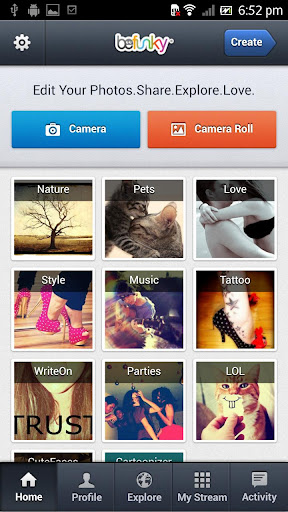
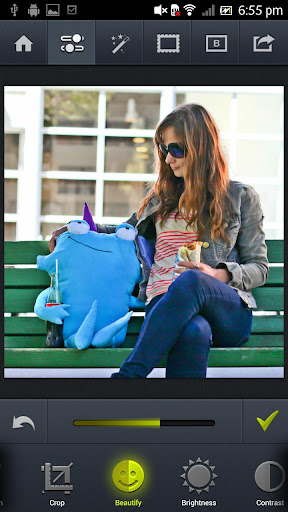
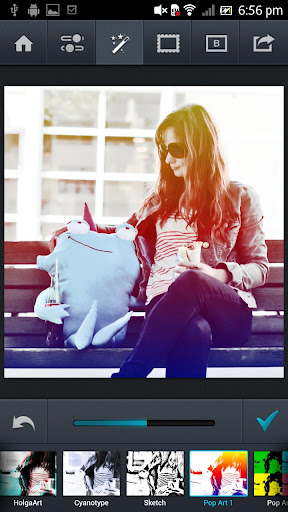
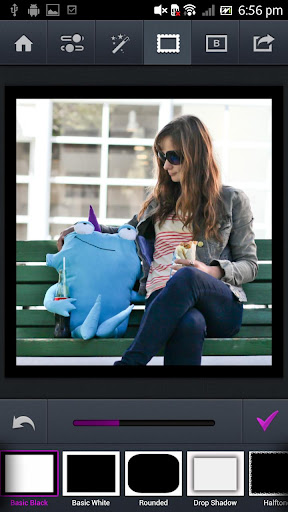
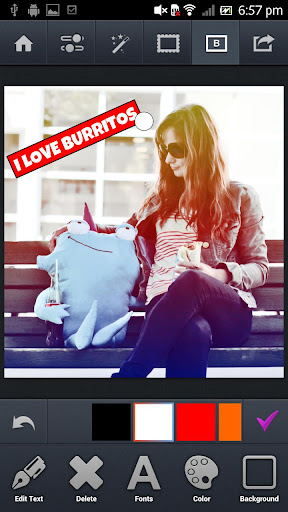
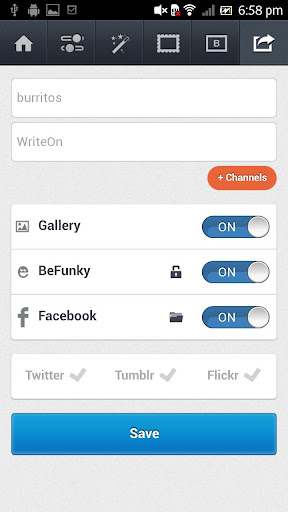
Android Phone မွာ ဓါတ္ပံုေတြကို ျပဳျပင္ခ်င္သူမ်ားအတြက္ BeFunky Photo Editor Pro ေနာက္ဆံုးထြက္ Version ေလးတင္ေပးလိုက္ပါတယ္ဗ်ာ။ အခုေခတ္နဲ႕ေတာ့ လိုက္ဖက္အညီဆံုး Application ေလးပါဘဲ။ ဘာလို႕လည္းဆိုေတာ့ မိမိျပဳျပင္ျပီးသား Photo မ်ားကို Facebook ေပၚသို႕ တိုက္ရိုက္လွမ္းတင္ႏိုင္လို႕ပါဘဲ။ အဲဒီ Feature ေလးကေတာ့ မိုက္တယ္ဗ်ာ။ ဓါတ္ပံုျပဳျပင္တဲ့ Feature ေတြ Effect ေတြကေတာ့ အမ်ားၾကီးဘဲဗ်ာ။ ကိုယ္တိုင္သာစမ္းျပီးကလိၾကပါေနာ္။ Android OS 2.2 ႏွင့္ အထက္ဖုန္းမ်ားမွာအသံုးျပဳႏိုင္ပါတယ္ဗ်ာ။
ေဒါင္းလုပ္ Link ေတာ့မဟုတ္ပါ။ သို႕ေပမယ့္ Click တစ္ခ်က္ေလာက္ႏွိပ္ေပးမယ္ဆိုရင္ ကၽြန္ေတာ့္ကိုအမ်ားၾကီးကူညီရာေရာက္ပါတယ္ဗ်ာ


**  Step-1.ေအာက္က Download Button ကိုႏွိပ္လိုက္ပါ  
**  Step-2. "5sec". ေလာက္ေစာင္႕ေပးပါ။

**  Step-3. "  << SKIP AD >>   ".ကိုႏွိပ္ေပးပါ။
**  Step-4. Download Link က်လာပါလိမ္႕မယ္။
**  အဆင္ေျပပါေစဗ်ာ။


facebook မွာ အသစ္တင္တိုင္း ဖတ္ခ်င္လွ်င္ေအာက္ကလင့္မွာ like လုပ္ပါ။
Myanmar Tech (အိုင္တီ)
www.myanmartechit.blogspot.com


Download လုပ္နည္းမ်ားမသိပါက ဒီမွာဖတ္ေပးပါ..

Photoshop သမားမ်ားတြက္​Fotor Photo Editor

image
မဂၤလာပါ။Photoshopသမားမ်ားတြက္ ​Photo Editor​ေလးတင္​ ​ေပးလိုက္​ပါတယ္​။ ဓာတ္​ပုံ​ေတြကိုစိတ္​ႀကိဳက္​ျပင္​ ဆင္​ ႏိုင္​ ၿပီးအရည္​အ ​ေသြး​ေကာင္​းတ့ဲ ဓာတ္​ပုံ​ေတြျဖစ္​ ​ေျပာင္​းလဲ​ေပးႏိုင္​ ပါတယ္​။Graphicသမားမ်ားတြက္​လည္​းအထူးအသုံး၀င္​ ပါတယ္​။


facebook မွာ အသစ္တင္တိုင္း ဖတ္ခ်င္လွ်င္ေအာက္ကလင့္မွာ like လုပ္ပါ။
Myanmar Tech (အိုင္တီ)
ကြန္ပ်ဴတာနည္းပညာ


Download လုပ္နည္းမ်ားမသိပါက ဒီမွာဖတ္ေပးပါ..
 

အမိုက္စား Frame ေတြနဲ႕ဓါတ္ပံုအလွဆင္ႏိုင္တဲ့ - Photo Frame : Easy Collage v39 Apk


Easy Photo Merge : Collage apk

အခုတင္ေပးလိုက္တဲ့ Application ေလးကိုေတာ့ သေဘာက်ၾကလိမ့္မယ္လို႕ထင္ပါတယ္ဗ်ာ။ Android Phone မွာ ဓါတ္ပံုေတြကို Frame လွလွေလးေတြနဲ႕ အလွဆင္ႏိုင္တဲ့ App ေလးျဖစ္ပါတယ္။ ဓါတ္ပံုေတြအမ်ားၾကီးကို Frame ေတြအမ်ားၾကီးနဲ႕ တစ္ပံုထဲျဖစ္ေအာင္စုစည္းေပးႏုိင္ပါတယ္။ Facebook ေပၚမွာ ပံုေတြတင္ေနက် သူငယ္ခ်င္းမ်ားကေတာ့ ပိုျပီးအသံုးတည့္မွာပါ။ သူ႕မွာ ပါ၀င္တဲ့ Feature ေတြကေတာ့အ မ်ားၾကီးဘဲဗ်ာ။ ကိုယ္ တိုင္သာစမ္းျပီးကလိၾကည့္ၾကပါ။ Android OS 2.2 ႏွင့္အထက္ဖုန္းမ်ားမွာအသံုးျပဳႏိုင္မွာျဖစ္ပါတယ္ဗ်ာ။


Photo Frame : Easy Collage - screenshot thumbnail  Photo Frame : Easy Collage - screenshot thumbnail

Photo Frame : Easy Collage - screenshot thumbnail   Photo Frame : Easy Collage - screenshot thumbnail

Photo Frame : Easy Collage - screenshot thumbnail
**  Step-1.ေအာက္က Download Button ကိုႏွိပ္လိုက္ပါ  
**  Step-2. "5sec". ေလာက္ေစာင္႕ေပးပါ။

**  Step-3. "  << SKIP AD >>   ".ကိုႏွိပ္ေပးပါ။
**  Step-4. Download Link က်လာပါလိမ္႕မယ္။
**  အဆင္ေျပပါေစဗ်ာ။


facebook မွာ အသစ္တင္တိုင္း ဖတ္ခ်င္လွ်င္ေအာက္ကလင့္မွာ like လုပ္ပါ။
Myanmar Tech (အိုင္တီ)
ကြန္ပ်ဴတာနည္းပညာ


Download လုပ္နည္းမ်ားမသိပါက ဒီမွာဖတ္ေပးပါ..
 

ဓါတ္ပံုေတြကို ခဲျခစ္ပန္းခ်ီအျဖစ္ဖန္တီးေပးမယ့္ - XnSketch Pro v1.25 Apk Update(March - 15)


Cover art

အခုတင္ေပးလိုက္တဲ့ Android Application ေလးကေတာ့ ဓါတ္ပံုေတြကို ခဲျခစ္ပန္းခ်ီအျဖစ္ဖန္တီးေပးႏိုင္တဲ့ Application ေလးျဖစ္ပါတယ္ဗ်ာ။ အရင္ Version အေဟာင္းေတြမွာလည္းတင္ေပးခဲ့ဖူးပါတယ္။ အခု Version အသစ္ထြက္လာလို႕တင္ေပးလိုက္တာပါ။ ဓါတ္ပံုေတြကို ပန္းခ်ီးအျဖစ္ဖန္တီးတဲ့ေနရာမွာေတာ့ Feature ေတြ အမ်ားၾကီးေပးထားပါတယ္။ မိမိဖန္တီးခ်င္တဲ့ ပန္းခ်ီးအေနအထားမ်ိဳးျဖစ္ေအာင္ စိတ္ၾကိဳက္ဖန္တီးယူႏိုင္ပါ တယ္ဗ်ာ။ မိမိ ဖန္တီးမႈကလက္ယာေျမာက္မယ္ဆိုရင္ေတာ့ တကယ့္ ပန္ခ်ိီအစစ္နဲ႕တူမွာပါ။ ဖန္တီးရတာ လည္းလြယ္ကူပါတယ္။ ေအာက္မွာ နမူတာလုပ္ထားတဲ့ ခဲျခစ္ပန္းခ်ီေလးေတြျပေပးထားပါတယ္ဗ်ာ။ Android OS 2.2 ႏွင့္ အထက္ဖုန္းမ်ားမွာအသံုးျပဳႏိုင္မွာျဖစ္ပါတယ္ဗ်ာ။
XnSketch Pro - screenshot thumbnail  XnSketch Pro - screenshot thumbnail

 XnSketch Pro - screenshot thumbnail  XnSketch Pro - screenshot thumbnail
 **  Step-1.ေအာက္က Download Button ကိုႏွိပ္လိုက္ပါ  
**  Step-2. "5sec". ေလာက္ေစာင္႕ေပးပါ။

**  Step-3. "  << SKIP AD >>   ".ကိုႏွိပ္ေပးပါ။
**  Step-4. Download Link က်လာပါလိမ္႕မယ္။
**  အဆင္ေျပပါေစဗ်ာ။


facebook မွာ အသစ္တင္တိုင္း ဖတ္ခ်င္လွ်င္ေအာက္ကလင့္မွာ like လုပ္ပါ။
Myanmar Tech (အိုင္တီ)
ကြန္ပ်ဴတာနည္းပညာ


Download လုပ္နည္းမ်ားမသိပါက ဒီမွာဖတ္ေပးပါ..
 

♥♥♥Clover Paint APK Android Apps♥♥♥

fareast.CloverPaint-1_web.jpg fareast.CloverPaint-2_web.jpg
မိမိတို႔ဖုန္းမွာဓါတ္ပံုေတြကိုကလာေဆးဆိုးခ်င္သူမ်ားအတြက္ Clover Paint ေလးကိုတင္ေပးလိုက္ပါတယ္ ေနာက္ဆံုးထြက္ဘားရွင္းျဖစ္ျပီး Play Store မွာ B242.65 နဲ႔ေရာင္းပါတယ္ဗ်ာ ကၽြန္ေတာ့္ဆိုဒ္မွာေတာ့အလကားေဒါင္းယူသြားႏို္င္ပါတယ္ဗ်ာ
   
Android: 2.1 and up
Clover Paint is a paint application that aims to be able to operate comfortably in the touch panel was created to review the existing UI from scratch.
On the other hand with a Clover interface features and then shifted so that the pen can not be hidden with a finger for comfortable operation with your finger, as well as support pen pressure, button, hover, calibration, set shortcut also do with the stylus, fully supported by the UI operations such as the prohibition of a finger.
(These settings can be done with [Gallery → Options / stylus]. For more information, visit the Web site)
Clover Paint is assumed to be in an advanced-accustomed to painting tools.
Feature basic drawing because it uses the equivalent of any version Clover Memo for beginners, if you are not familiar with the paint tool, it is recommended that we step up to the plate Paint from accustomed to using version Memo first recommended.
Again, this app is for the professional user.
This app doesn’t accept the request for refund, Please try Clover Memo LITE before you buy.
Clover Paint following features have been added compared to the Clover Memo.

LAYERS
- Making (as far as the memory follows unlimited) of a large number of layers
- support .psd image import/export(an image data including multiple layers is able to exchange with other paint tools)
- Indication of the list of layers
- Name setting to a layer
- From the icon push and hold in the list of layers (new, clone, merge down, merge all, and delete)
- Row substitute of the layer
- From the setting window of the layer (visible on/off, opacity, blend mode, layer protection, opacity protection, clipping group)
SELECT AREA
- Rect, free select, auto select
- Blend (replace, multiple, add, sub) of the selection area
- You mask a drawing function in a selection area (When you paint over the drawing with the pen, line, fill, invert, bucket)
- A Layer choosing in a selection area and cut or copy, and paste.
MOVE AND TRANSFORM
- Move tool(pixel move by integer and axis transformation)
- Transform tool(pixel move by floating number, scale, rotate, skew and perspective)
MORE BRUSH SETTING
- Because the embodiment brush of the default can reappear, now you can completely customize a list of Clover icons
- Possible setting of the blend operation on a brush (at the add, sub, difference, the opacity of the layer masks)
- You can control the parameter of a mixed brush using in a finger-tip tool or a picture in watercolors in detail
- Jitter effects (setable by spot unit and stroke unit individually) such as flow, pen size, the color (hue, saturation, luminance)
- Jitter effect is able to setting by even sine-curve or Perlin-noise as well as white noise.
- Detailed user settings of the spot shape or color by using texture
- The rotation of the pen spot or brush center position is possible control orientation and tilt of the stylus (for Cintiq)
- Customization of the program generation texture using the Perlin noise
- Effect depending on pressure, speed, tilt (for Cintiq), or time progress of the stroking
- Effect curve can be set in detail spline or free-curve.
- A lot of others
EXPAND SETTING OF THE IMAGE OUTPUT
- Selectable high quality filters such as Bicubic/Lanczos2/Lanczos3 at the time of image expansion, transformation
- Add the button which very detailed image setting can play at the time of a JPEG file export [Custom]
Please refer to the commentary of the Clover Memo for the basic function that you do not introduce here.
Because I prepare free Clover Memo Lite, I can confirm the operation check at the Android terminal of the errand there.
The system part becoming basic of Clover Paint is common to Clover Memo and perfection.
NOTES
- Tutorial Guide (by Minh-Hoa, Thanks)
http://goo.gl/q7rvs
this software is based in part on the work of the Independent JPEG Group

                                      Play Store go to Buy 
                                     Download App Free

http://www.aungkyawthyu.com/
 
အဆင္ေျပတယ္ဆိုရင္ ေၾကာ္ျငာေလးကိုတစ္ခ်က္ေလာက္ကလစ္ခဲ့ေပးပါေနာ္ အဆင္မေျပခဲ့တာမ်ားရွိခဲ့ရင္ CBOX တြင္ေျပာၾကာခဲ့ပါေနာ္ ပိုတိုေရွာ့ပံုမ်ားႏွင့္နည္းပညာမ်ားကိုတိုက္ရုိက္ရယူခ်င္တယ္ဆိုရင္  
ဒီမွာFB LIKE ႏွိပ္လိုက္ခဲ့ပါေနာ္ ၃စကၠန္႔အတြင္းကၽြန္ေတာ့္ဆိုဒ္ကေန သင့္ဆီကိုအေရာက္ပို႔လာမည္။  
Photoshop &Techniques 
ေဒါင္းနည္းမ်ားမသိပါက ဒီမွာ သြားၾကည့္ေပးပါခင္ဗ်ာ


Password - www.aungkyaw.net

www.aungkyaw.net
www.myanmartechit.blogspot.com
အဆင္ေၿပပါေစ။အဆင္ေၿပရင္facebook မွာ like လုပ္ပါအုံး။
အဆင္မေၿပရင္၊လိုအပ္တာရွိရင္ comment ေပါ့။


 

✔PicsArt Photo Studio v3.17.1 App For Android✔

image
✔PicsArt Photo Studio v3.17.1 App For Android✔
-Android ဖုန္​းအတြက္​ Photo ​ေတြကို လိုသလို စိတ္​တိုင္​းက် ျပဳျပင္​ လုပ္​​ေဆာင္​​ေပး မယ္​့ "PicsArt Photo Studio v3.17.1" ဆိုတဲ့ application ​ေလးတစ္​ခုကို တင္​​ေပးလိုက္​ပါၿပီ-
-Apk File Size 14.35MB ႐ွိၿပီး
-Android OS Version 2.3 ႏွင္​့အထက္​ ဖုန္​းမ်ားမွာ ထည္​့သြင္​းအသံုးျပဳႏိုင္​ပါၿပီ-
-​ေအာက္​က လင္​့ခ္​ မွာ​ေဒါင္​းလုပ္​ရယူပါ-
image
image
image
image
What's New
- New effects:
-- Color Gradient effect
-- Film Burn Effect and Film Burn B&W Effect
-- Radial Blur Effect
-- Water Drop Effect
-- Artistic Shear Effect
- New Shape Crops
- "Save Draft" functionality in drawing
- Autosuggestion with Frequently used inputs when adding Text
- Now you can buy Paid packages without login
- Google Drive Integration (for Android 4 and up)
- Free Crop issue fix
- Other improvements and fixes
Description
Install PicsArt Photo Studio - where everyone becomes a great artist! It is the most popular free mobile photo editor with over 100,000,000 installs, one of the fastest growing photo artists’ social networks and largest galleries of artwork.
>> "It’s somewhat surprising that an app with a more complex feature set has actually done so well on mobile"
Techcrunch
>> "PicsArt incorporates user-suggested changes often--because the company isn't afraid of frequent updates. - Inc.
>> "PicsArt Transforms Your Smartphone Pictures Into Works of Art" - Mashable
>> "Their app.. allows you to create artwork from photos with a functionality close to what you get on expensive professional tools like Photoshop. But PicsArt is free and requires no instructions or training." - Fast Company
PicsArt is a free photo editor, photo grid and collage maker, drawing tool and picture art network. It is like an all-in-one collection of multiple editors:
PicsArt Collage Maker allows to create amazing collages, using photo grid, free form collage maker, or using photos on backgrounds. It is one of the most powerful photo grid and free-form collage making tools on the market.
PicsArt Photo Editor provides tons of photo manipulations, masks, collages, frames, borders, stickers, text effects, clipart graphics, overlays, callouts, crop, rotate, color adjust and more!
PicsArt Effects are awesome artistic photo effects such as a stenciler, cartoonizer, sketcher, Orton, Lomo, vintage, cross process, HDR, fattal, pencil, Holgaart, watercolor, contours, comic, neon, gouache, old paper, pastel, red eye remover, Popart, mirror, smart blur, face fix, color splash, paper effect and more! It allows you to apply effects to picture using brush mode, when artists can control where and how much of the effect to apply to an image.
Additional information
Updated
22 February 2014
Size
14.35MB
Installs
100,000,000 - 500,000,000
Current Version
3.17.1
Requires Android
Varies with device
Content Rating
Medium Maturity
"

အဆင္​​ေျပပါ​ေစ"

    ကို​ေဇာ္​သြင္​(နည္​းပညာ)
www.myanmartechit.blogspot.com
အဆင္ေၿပပါေစ။အဆင္ေၿပရင္facebook မွာ like လုပ္ပါအုံး။
အဆင္မေၿပရင္၊လိုအပ္တာရွိရင္ comment ေပါ့။
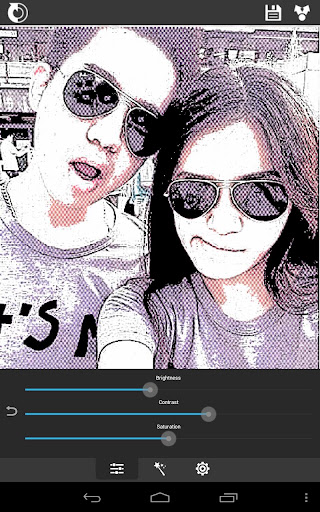


Photo Comment ကို အလြယ္ကူဆံုးလုပ္နိုင္တဲ႔ Software.Apk

Android Phone ရဲ႕ Facebook မွာ Photo Comment ေတြအလြယ္တကူေပးလို႔ရလာၿပီဆိုေတာ့
Photo Comment အလြယ္လုပ္လို႔ရမဲ့ Software လည္းလိုလာပါၿပီ ဒီ Picsay ဆိုတဲ့ Software ကေတာ့ Photo Comment ကို အလြယ္ကူဆံုးလုပ္နိုင္ၿပီး Photo ေတြကိုပါစိတ္ႀကိဳက္ျပဳျပင္လို႔ရပါတယ္

ေဘာ္ဒါေတြေတာငး္ၾကလြန္းလို႔ပါ.. Android Apk ပါ...


Myanmar Mobile Tutorial
www.myanmartechit.blogspot.com
အဆင္ေၿပပါေစ။အဆင္ေၿပရင္facebook မွာ like လုပ္ပါအုံး။
အဆင္မေၿပရင္၊လိုအပ္တာရွိရင္ comment ေပါ့။
Galaxy S4 ရဲ ့ Camera Features ေတြပါတဲ့ - A Better Camera Unlocked v3.16 (Latest Version)


သင့္ Android Phone မွာ နဂိုပါတဲ့ Stock Camera ထက္ေကာင္းျပီး Feature ေတြပိုမိုပါရွိတဲ့ Third-Party Camera Apps ေတြမ်ားစြာရွိပါတယ္။ A Better Camera ဆိုတဲ့ Camera App အသစ္က Galaxy S4 မွာပါတဲ့ Camera Modes ေတြေတာ္ေတာ္မ်ားမ်ားပါရွိတာေတြ ့ရပါတယ္။ HDR, Panorama, Group Shot, Sequence Shot စတဲ့အဓိက Mode ေတြပါရွိပါတယ္။

A Better Camera ရဲ  ့သြင္ျပင္က ရိုးရွင္းျပီး အသံုးျပဳရလြယ္ကူပါတယ္။ ပထမဆံုး အသံုးျပဳရင္ tutorial screen ကိုျပေပးမွာျဖစ္ပါတယ္။ျပီးရင္ေတာ့ main interface ကိုေရာက္သြားမွာျဖစ္ျပီး Auto-focus , flashlight , camera shooting modes , gallery launcher , အေရွ  ့ နဲ ့အေနာက္ ကင္မရာ ေတြကို ေျပာင္းႏိုင္တဲ့ button, ဓါတ္ပံုရိုက္တဲ့ button စတာေတြကို ေတြ ့ရမွာပါ။ အဲဒီ controls button ေတြကို စနစ္တက် စီထာေပးျပီး အလြယ္တကူအသံုးျပဳႏုိင္ပါတယ္။
အခုApplication အေၾကာင္းကုိ အေသးစိတ္ေလ့လာခ်င္တယ္ဆိုရင္ Version အေဟာင္းမွာ ေသခ်ာရွင္းျပ ထားပါတယ္ဗ်ာ။ ဒီမွာ ဆက္လက္ေလ့လာႏိုင္ပါတယ္။

Required Android O/S : 4.0+
 
A Better Camera 3.15 screenshot 1


A Better Camera 3.15 screenshot 5
 **  Step-1.ေအာက္က Download Button ကိုႏွိပ္လိုက္ပါ  
**  Step-2. "5sec". ေလာက္ေစာင္႕ေပးပါ။

**  Step-3. "  << SKIP AD >>   ".ကိုႏွိပ္ေပးပါ။
**  Step-4. Download Link က်လာပါလိမ္႕မယ္။
**  အဆင္ေျပပါေစဗ်ာ။

အဆင္ေၿပပါေစ။အဆင္ေၿပရင္facebook မွာ like လုပ္ပါအုံး။
အဆင္မေၿပရင္၊လိုအပ္တာရွိရင္ comment ေပါ့။
ဓါတ္ပံုရိုက္ / ဓါတ္ပံုျပင္ ၀ါသနာပါသူေတြအတြက္ Feature ေတြစံုလင္တဲ့ - Camera 2 v2.5.0 APK


ပံုေတြကိုျမင္လိုက္တာနဲ႕တင္ ကၽြန္ေတာ္တင္ေပးလိုက္တဲ့ Application ေလးအေၾကာင္းကိုသိေလာက္ျပီလုိ႕ ထင္ပါတယ္ဗ်ာ။ Android Device ေတြမွာ ဓါတ္ပံုရိုက္ျပီး စိတ္ၾကိဳက္ျပဳျပင္ႏိုင္တဲ့ Application ေလးတစ္ခုပါ။ ရိုက္ထားျပီးသား ပံုမ်ားကိုလည္းျပဳျပင္ႏိုင္ပါတယ္။ ကၽြန္ေတာ္အၾကိဳက္ဆံုးကေတာ့ ယခုမိမိရိုက္လိုက္တဲ့ ပံုကို လြန္ခဲ့တဲ့ ႏွစ္ေပါင္းမ်ားစြာေရွးေရွးတုန္းက ရိုက္ထားခဲ့တဲ့ပံုမ်ိဳးျဖစ္ေအာင္ ဖန္တီးႏိုင္တဲ့ Effect ကိုပိုျပီးေတာ့ သေဘာက်ပါတယ္ဗ်ာ။ ျပဳျပင္ေပးႏိုင္တဲ့ Effects ေတြကလည္းအမ်ားၾကီးပါ၀င္ပါ တယ္ဗ်ာ။ Effect ေတြက 360 Camera ထက္ ပိုျပီးစံုလင္ပါတယ္ပါတယ္။ ပါ၀င္တဲ့ Feature ေတြ ပိုမ်ားလို႕ပါ။ နမူနာၾကည့္နိုင္ဖို႕ ေအာက္မွာ Screen Shot ေတြရိုက္ျပထားပါတယ္ဗ်ာ။ Android OS 4.0.3 ႏွင့္အထက္ဖုန္းမ်ားမွာ အသံုးျပဳႏိုင္မွာျဖစ္ပါ တယ္ဗ်ာ။


 **  Step-1.ေအာက္က Download Button ကိုႏွိပ္လိုက္ပါ  
**  Step-2. "5sec". ေလာက္ေစာင္႕ေပးပါ။

**  Step-3. "  << SKIP AD >>   ".ကိုႏွိပ္ေပးပါ။
**  Step-4. Download Link က်လာပါလိမ္႕မယ္။
**  အဆင္ေျပပါေစဗ်ာ။


www.myanmartechit.blogspot.com
(အေၿခခံနည္းပညာမ်ားၿပန္လည္မွ်ေဝျခင္း)
အဆင္ေၿပပါေစ။အဆင္ေၿပရင္facebook မွာ like လုပ္ပါအုံး။
အဆင္မေၿပရင္၊လိုအပ္တာရွိရင္ comment ေပါ့။